Trace a Swisher County Parcel From Panhandle Appraisal to Tax Receipt
Start with Swisher County Appraisal District when you need a property ID, geographic ID, appraisal owner, legal description, acreage, improvement details, preliminary 2026 value, homestead exemption, agricultural appraisal or protest information.
Use the Swisher County Tax Assessor-Collector’s separate tax database when you need the live bill, amount due, payment status or receipt. Use the Swisher County and District Clerk when you need recorded deeds, liens, releases, plats or certified property documents.
Use esearch.swisher-cad.org for appraisal records, maps, values and exemptions.
Use esearch.swishercounty.gov for live tax balances and online payments.
130 North Armstrong Avenue, Tulia, Texas 79088.
Use the County and District Clerk for deeds, liens, plats and certified copies.
Local portals and office details reviewed July 30, 2026.
What are you trying to do with the Swisher County property?
Use Owner, Address, ID or Advanced Search, then confirm the parcel and legal description.
Follow the search workflowCompare land, improvements, market value, appraisal limits, agricultural value and prior-year history.
Understand the value fieldsConfirm the tax year, live balance, online-payment fee and receipt through Swisher County’s tax portal.
Use the payment stepsIdentify the exact value, exemption, acreage, classification or property-description issue.
Prepare a focused protestSearch recorded instruments instead of treating the CAD owner field as proof of title.
Search deeds and liensReal estate, agricultural, mineral, utility, industrial and business-property records can be maintained separately.
Review local property scenariosSearch Swisher County appraisal records without opening the wrong account
Use the Swisher CAD screenshot as a practical search guide
The original article included the Swisher CAD property-search image below. It is retained here and placed inside the exact section where users need it. The live portal may change, so use this image to recognize the main search and result areas rather than treating it as a current property record.
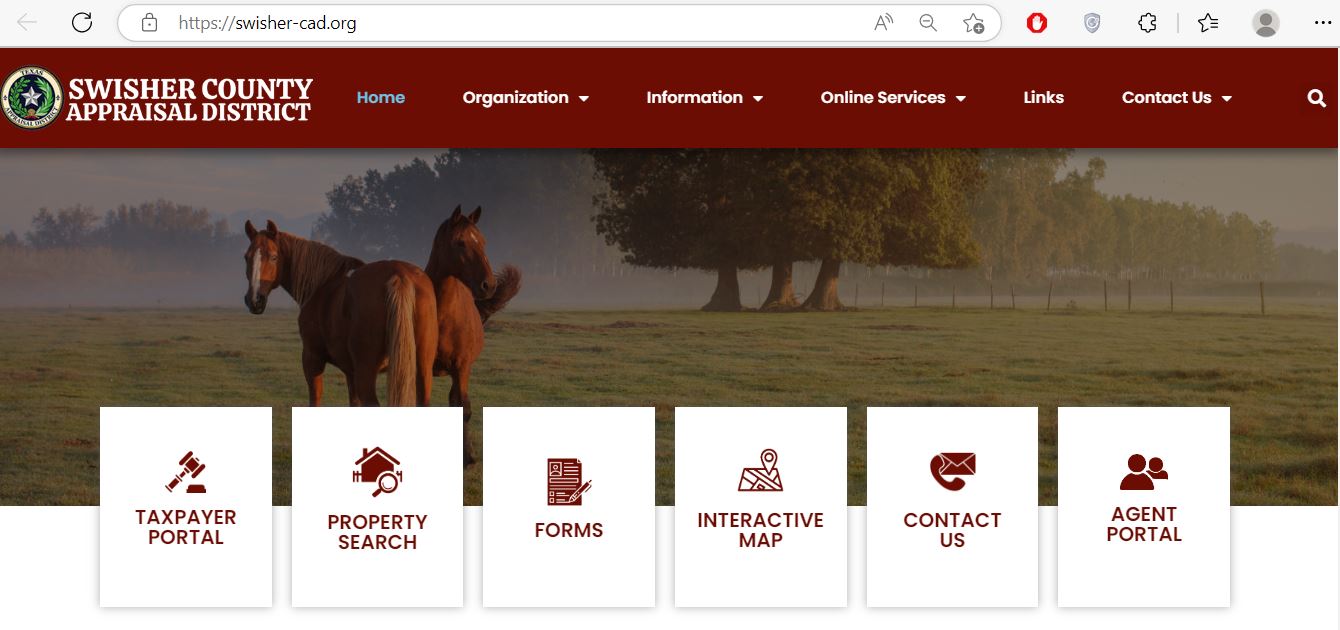
Use the Swisher CAD filter that matches the property
| Search field | Best use | What to verify |
|---|---|---|
| Owner name | Finding a person, trust, estate, company or DBA account. | Try LASTNAME FIRSTNAME and shorter variations. |
| Property ID | Opening the exact account shown on a notice, bill or prior record. | Tax year, property type and legal description. |
| Owner ID | Finding multiple accounts connected to one owner identifier. | Each result may be a separate parcel or property category. |
| Geographic ID | Matching an account to parcel or legal-location information. | It is not proof of a surveyed boundary. |
| Abstract | Rural land described by a survey or abstract. | Owner, acreage, legal description and geographic ID. |
| Subdivision | Residential additions, grouped lots and developed parcels. | Lot, block, phase and property ID. |
| Property type | Separating real, personal, mineral, mobile-home and other accounts. | Mineral, utility or business accounts can be separate from the land. |
| Mobile-home park | Finding a manufactured home associated with a named park. | Whether the home and land are assessed together or separately. |
| Neighborhood | Researching nearby appraisal groups for equal-appraisal comparisons. | A CAD neighborhood is not necessarily a sales-market boundary. |
| ARB fields | Reviewing protest status, hearing dates or board information where available. | The written hearing notice and ARB order control. |
Understand what the Swisher CAD account does and does not prove
| Field | What it identifies | What it does not prove | Best next action |
|---|---|---|---|
| Property ID | The appraisal account used by Swisher CAD. | That every county system uses the same number. | Save it for CAD calls, forms and tax-account matching. |
| Geographic ID | A geographic or legal parcel reference. | A surveyed boundary or guaranteed acreage. | Compare the deed, plat and survey. |
| Owner shown | The owner maintained for appraisal administration. | Clear title, lien status or complete ownership history. | Search Clerk property records when legal ownership matters. |
| Situs address | The physical location carried in the appraisal record. | A mailing address or full legal description. | Compare the map and recorded documents. |
| Legal description | Subdivision, lot, block, tract, abstract or survey information. | That the abbreviated description is sufficient for a deed. | Open the recorded deed or plat. |
| Acreage | The acreage used for appraisal purposes. | Surveyed or legally guaranteed acreage. | Verify with title records and a professional survey. |
| Market value | CAD’s opinion of market value as of January 1. | A guaranteed sales price or final tax bill. | Compare sales, property facts and equal-appraisal evidence. |
| Appraised value | Value after an applicable appraisal limitation. | Taxable value after every exemption. | Review each taxing-unit taxable-value line. |
| Agricultural value | Productivity value applied to qualifying agricultural land. | That qualification will continue after an ownership or use change. | Verify use history, filing status and rollback exposure. |
| Taxable value | Value after applicable exemptions for a taxing unit. | The live balance, penalty, payment or receipt. | Open Swisher County’s tax-search system. |
Use the Swisher CAD parcel map without treating it as a survey
Separate market value, appraised value and taxable value
Swisher CAD’s opinion of what the property would sell for under normal market conditions as of January 1.
The value after an applicable residence-homestead or circuit-breaker appraisal limitation.
The value remaining after exemptions. It can differ by county, city, school district, hospital district and water authority.
How to use a preliminary Swisher CAD value safely
A preliminary value can change. Include the viewing date on every screenshot, comparison table and note.
The Notice of Appraised Value provides the proposed value and the controlling protest instructions.
Buyers and sellers should compare the preliminary account with the latest certified roll and tax record.
The preliminary appraisal screen does not establish adopted tax rates, penalties or payment status.
New construction, ownership processing, splits, combinations and exemption decisions may alter the account.
Save the preliminary account before the value changes so the evidence shows what was displayed.
Read the Notice of Appraised Value before deciding whether to protest
Confirm the owner, property ID, mailing address, situs address, property type and legal description.
Review the land value and improvement value separately to identify where the increase occurred.
Compare prior and proposed values and identify new improvements, acreage or classification changes.
Verify homestead, age, disability, veteran and other expected benefits.
Check qualifying acreage, market value and agricultural productivity value.
Use the date printed on the notice rather than relying only on a general May 15 rule.
Fix common Swisher CAD search failures before calling the office
| Problem | Likely reason | Practical fix |
|---|---|---|
| Owner name returns no result | The account may use initials, another name order, spouse, trust, estate or company. | Search only the first or last name. |
| Too many owner matches | The surname is common or the search is too broad. | Add the property type, address, owner ID, geographic ID or subdivision. |
| Full address fails | The account may use another suffix, direction or rural-address format. | Search only the street name, as recommended by the official portal. |
| Farm tract has no standard address | The property may be indexed by abstract, geographic ID or legal description. | Use Advanced Search and the interactive map. |
| Mobile home is missing | The home may have a separate personal or mobile-home account. | Use the property-type and mobile-home-park filters. |
| Mineral or utility account is missing | Mineral, utility and industrial accounts may be separately appraised. | Search by property type, owner, DBA or account identifier. |
| Recently purchased property shows seller | The recorded deed may still be processing into the appraisal system. | Confirm recording with the Clerk and save the document reference. |
| CAD and tax systems differ | The systems serve different purposes and may update at different times. | Match property identifiers and contact the office controlling the disputed field. |
| 2026 value changed after saving it | The portal labels 2026 values as preliminary before certification. | Keep the dated screenshot and recheck the live account and mailed notice. |
Local search tips for Tulia, Happy, Kress and rural Panhandle property
Confirm City of Tulia, Tulia ISD, Swisher County, hospital and applicable water-authority lines.
Check City of Happy and Happy ISD rather than assuming the Tulia taxing-unit combination applies.
Review the City of Kress, Kress ISD, county and other special-district taxable values separately.
Search by owner, abstract, geographic ID and acreage, then compare market and agricultural productivity values.
Review land class, irrigated versus dryland acreage, water access and improvement records.
Separate land ownership from leasehold, industrial, utility and business-personal-property accounts.
Swisher CAD states that mineral, utility and industrial accounts are appraised by Pritchard & Abbott.
Determine whether the home and land are assessed together or under separate accounts.
Confirm the business name, DBA, situs, property type, rendered assets and tax year.
Use Swisher CAD, the Tax Office or the Clerk for the correct task
| Your question | Correct starting point | What to prepare |
|---|---|---|
| What is the market or appraised value? | Swisher County Appraisal District | Property ID, tax year and the value field in question. |
| Why is an exemption missing? | Swisher County Appraisal District | Application, qualification date, identification and filing proof. |
| How do I protest the appraisal? | Swisher CAD and the Appraisal Review Board | Notice, account, protest reason and evidence. |
| How much property tax is due? | Swisher County Tax Assessor-Collector | Tax account, owner, property address and tax year. |
| Did my tax payment post? | Swisher County Tax Assessor-Collector | Receipt, confirmation number, date, amount and tax year. |
| Who legally owns the property? | Swisher County and District Clerk or title professional | Grantor, grantee, recording date and legal description. |
| Where can I obtain a deed, lien or plat? | Swisher County and District Clerk | Names, document type, date range and property description. |
| Is the acreage or boundary correct? | Surveyor, title professional and Clerk records | Deed, plat, prior survey and legal description. |
| Who sets the tax rate? | Each city, school district, county or special taxing unit | The taxing-unit list from the CAD account. |
| Who handles vehicle title or registration? | Swisher County Tax Assessor-Collector | Vehicle documents, identification and payment. |
Correct the system that owns the inaccurate information
Verify every Swisher County exemption before estimating taxes
Exemptions reduce taxable value rather than market value. Review every taxing-unit line because Swisher County, a city, school district, hospital district and water authority may apply different exemption amounts.
Confirm that the home is the owner’s principal residence and that the exemption appears on the correct account.
Review the additional exemption, school-tax ceiling and possible installment or deferral options.
Check qualification documents, additional exemption and any applicable school-tax ceiling.
Use the correct application and attach VA documentation for the claimed exemption category.
Prepare deed, probate, heirship and occupancy information when the record remains in a deceased owner’s name.
Use the official forms page for charitable, religious, Freeport, vehicle and other qualifying-property applications.
Prepare these items before filing
Prepare agricultural evidence before applying for productivity appraisal
Prepare acreage, crop or livestock use, production records, leases, expenses and management history.
Confirm how each acreage segment is classified and whether water availability or irrigation improvements are recorded correctly.
Confirm prior qualification and prepare a current plan and evidence of qualifying wildlife-management practices.
| Evidence | What it helps establish | Practical preparation |
|---|---|---|
| Acreage map | Which acres are used for crops, grazing, wildlife or another activity. | Label irrigated, dryland, pasture, homesite and nonqualifying areas. |
| Production history | Actual agricultural use over the required history period. | Keep crop, livestock, lease, fertilizer, seed and sales records. |
| Lease documents | Who conducts the agricultural activity and under what terms. | Identify the parcel, acreage, duration and agricultural use. |
| Irrigation records | Water source, equipment, operating history and irrigated acreage. | Include well, pivot, power, repair and water-district information. |
| Wildlife plan | Qualifying wildlife-management practices on previously qualified land. | Document activities, dates, photographs and results. |
Review Swisher CAD rendition requirements before the April deadline
File a Swisher CAD protest around one clear issue
Evidence packet checklist
Prepare for the Swisher County ARB hearing
The ARB is separate from the appraisal office and decides unresolved appraisal disputes.
The official Swisher CAD website publishes the current ARB member list for transparency.
The final written ARB order determines the result for the protested tax year.
Move from the Swisher CAD account to the official tax ledger
The Swisher CAD account explains appraisal values and exemptions. The Swisher County Tax Assessor-Collector’s official tax search controls the live balance, payment status and receipt.
| Check | Why it matters | What to save |
|---|---|---|
| Correct account | Similar owners or addresses can appear in search results. | Property ID, owner and legal description. |
| Correct tax year | A payment can be applied to a different year than intended. | Year and balance displayed before payment. |
| Convenience fee | The fee may be charged separately from the tax amount. | Checkout total and payment method. |
| Confirmation | It supports a payment-posting investigation. | Confirmation number, date and payer name. |
| Posted balance | A successful checkout does not replace verification that the ledger updated. | Updated tax account or official receipt. |
Review proposed and adopted Swisher County tax rates
Use the Swisher CAD Taxpayer Portal for applications and electronic communication
Use the Swisher County and District Clerk for deeds, liens and plats
| Service | Published charge or access | Practical note |
|---|---|---|
| In-office record review | Available during normal business hours at no charge. | Two public computers are available for judicial and property searches. |
| Regular copy | $1 per page | Confirm the page count before submitting payment. |
| Certified copy | $1 per page plus $5 certification | Confirm that certification is required for the intended use. |
| Electronic digital copy | $1 per page for up to 10 pages, then 10 cents per additional page | Payment must be received before copies are produced. |
| Record-request response | Availability and estimated cost are generally provided within 10 business days. | Give the document type, names, date range and property details. |
Complete these checks before relying on a Swisher County property record
Match property ID, geographic ID, legal description, abstract, location and acreage.
Check every available tax year, payment status, penalties and the current amount due.
Review deeds, liens, releases, easements, plats and probate records through the Clerk.
The seller’s homestead exemption, appraisal cap and tax ceiling may not transfer to a buyer.
Identify the county, city, school district, hospital district, water authority and other applicable units.
Compare CAD class, square footage, age, condition, acreage, land type and improvements with the property.
Confirm qualifying acreage, productivity value, use history and rollback-tax exposure.
Search mineral, utility, wind, solar, industrial and business-personal-property accounts separately.
Keep the recorded deed, title policy, survey, closing statement, tax certificate and exemption filing proof.
Important Swisher County appraisal and payment dates
Swisher County appraisal, tax and property-record offices
Tulia, Texas 79088
Mailing: P.O. Box 8, Tulia, Texas 79088
Phone: (806) 995-4118
Fax: (806) 995-4079
Email: swishercad@gmail.com
Chief Appraiser: Andrew Moritz
Hours: Monday-Friday, 8:00 AM-5:00 PM.
Tulia, Texas 79088-2247
Phone: (806) 995-3513
Fax: (806) 995-4572
Email: k.sims@swishercounty.gov
Tax Assessor-Collector: Katie Sims
Call before visiting to confirm current hours, payment methods and holiday closures.
Tulia, Texas 79088-2239
Phone: (806) 995-3294
Alternate: (806) 995-4396
Email: cdclerk@swishercounty.gov
County and District Clerk: C. J. Chasco
Hours: Monday-Thursday 8:00 AM-5:00 PM; Friday 8:00 AM-3:00 PM; open during lunch.
Prepare the property ID, geographic ID, owner, address, legal description, tax year and a short description of the task.
Confirm holiday closures, accepted payment, identification and whether the service is handled at that location.
Official Swisher County property resources
Use for official notices, contacts, taxing units and appraisal information.
Open Swisher CADSearch Owner, Address, ID, ARB and Advanced account fields.
Open property searchReview approximate parcel location and surrounding appraisal-map context.
Open interactive mapFile or manage an eligible appraisal protest through the official portal.
Open online appealsFind exemption, agricultural, rendition and special-inventory forms.
Open Swisher CAD formsAccess property details, documents, applications and electronic communications.
Open Taxpayer PortalReview bills, balances and payment options through the County Tax Office system.
Open tax searchReview proposed rates, adopted rates and estimated-tax information.
Open tax-rate portalFind deed, lien, plat, certified-copy and record-request information.
Open Clerk websiteReview online-index coverage, copy fees and request methods.
Open record-request guidanceConfirm current Tax Assessor-Collector details, tax-search link and county notices.
Open County Tax OfficeCross-check the appraisal district, Tax Office and active taxing units.
Open Swisher County directoryHow this Swisher County guide was improved

Independent review of appraisal, tax and recorded-property systems
This version preserves the images used in the existing article while replacing its brief overview with complete property-search steps, preliminary-value warnings, search troubleshooting, field explanations, local agricultural guidance, exemption preparation, protest workflows, payment verification and deed-record instructions.
Official resources reviewed include Swisher County Appraisal District, Swisher County Tax Assessor-Collector, Swisher County and District Clerk, Texas Department of Motor Vehicles and Texas Comptroller property-tax guidance.
AppraisalDistrict.org is an independent informational website and is not operated by Swisher County Appraisal District or Swisher County.
10 common Swisher County appraisal and property-search questions
1. What is the official Swisher County Appraisal District website?
The official website is swisher-cad.org. Use it for property search, maps, forms, exemptions, online appeals and taxpayer resources.
2. How do I search Swisher County property records?
Use the official Swisher CAD property search. Choose Owner, Address, ID or Advanced Search and confirm the property ID, geographic ID, legal description and tax year.
3. Why does a Swisher CAD owner or address search show no result?
Try only the first or last name when a full owner name fails. For an address, search only the street name. Advanced Search also supports abstract, subdivision, owner ID, geographic ID and property type.
4. Are Swisher CAD’s 2026 values final?
The official search currently warns that displayed 2026 values are preliminary and subject to change before certification. Save a dated copy and recheck the live account.
5. Does the Swisher CAD owner name prove legal ownership?
No. It is an appraisal record. Use the Swisher County and District Clerk’s property-record resources for recorded deeds, liens, releases, plats and legal document history.
6. How do I pay Swisher County property taxes online?
Use the official Swisher Tax Property Search. Locate the account, select the green Pay Taxes option, confirm the year and balance, and save the receipt.
7. What is the Swisher County property-tax protest deadline for 2026?
The usual deadline is May 15 or 30 days after Swisher CAD mails the Notice of Appraised Value, whichever is later. The date printed on the individual notice controls.
8. How do I verify a Swisher County homestead exemption?
Open the complete CAD account and review exemption and taxable-value information for each taxing unit. If an expected exemption is missing, use the official forms page and keep proof of filing.
9. Can I use the Swisher CAD map or acreage as a legal survey?
No. Swisher CAD states that legal descriptions and acreage are for appraisal use and should be verified before legal use. Obtain the deed, plat, title evidence and a professional survey.
10. Where is Swisher County Appraisal District located?
Swisher CAD is located at 130 North Armstrong Avenue, Tulia, Texas 79088. Its mailing address is P.O. Box 8, Tulia, Texas 79088, and its phone number is (806) 995-4118.