
Move a Borden County Parcel From Ranch-Gate Search to the Correct Appraisal, Mineral or Tax Record
Start with Borden County Appraisal District when you need the property ID, appraisal owner, legal description, acreage, market value, exemption, agricultural appraisal, mineral account, parcel map or protest record.
Continue to the Borden County Tax Assessor-Collector for tax bills, payments, receipts and delinquent balances. Contact the County Clerk when the answer depends on a recorded deed, lien, release, probate filing or certified copy.
Use the property ID, geographic ID or abstract when a parcel has no dependable street address.
120 E. Wilbourn Avenue, Gail, Texas 79738.
Monday-Friday, 8:00 AM-5:00 PM; closed noon-1:00 PM.
Pritchard & Abbott appraises mineral, utility and industrial accounts for the district.
The district publishes preliminary 2026 real-personal and mineral appraisal-roll resources.
What do you need from the Borden County property record?
Use owner, ID, abstract, subdivision or advanced filters, then verify the legal description and property type.
Follow the search workflowReview market, appraised and taxable values instead of treating one number as the tax bill.
Understand the value fieldsReview acreage, production history, livestock, crops, leases, homesite allocation and special valuation.
Use the local agricultural guideA mineral, pipeline, utility or industrial account may not appear with the surface land record.
Follow the mineral workflowIdentify the exact value, exemption, ownership, acreage, classification or property-detail problem.
Prepare a stronger protestUse the tax office for payment and the County Clerk for recorded legal documents.
Choose the correct officeSearch Borden CAD without relying only on a rural address
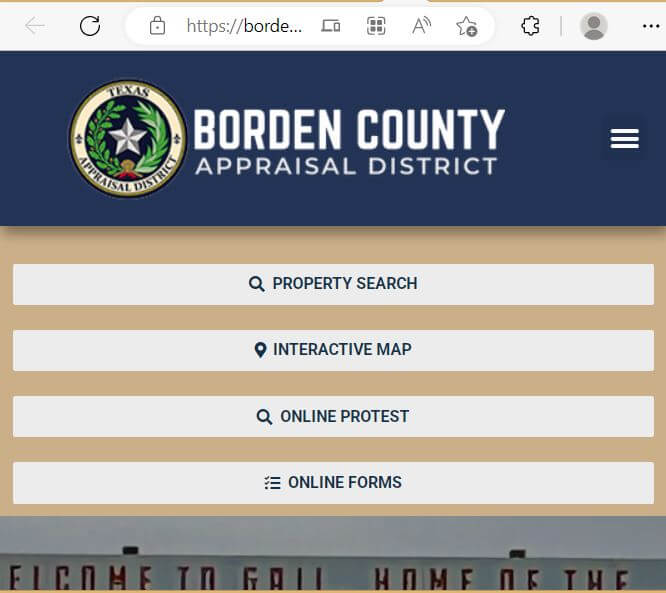
Use the Borden CAD screenshot to recognise the official search screen
The existing article included the property-search image below. It is preserved and placed inside the practical workflow so users can understand where to search and what to verify.
Choose the Borden CAD field that matches the record
| Search field | Best use | What to verify |
|---|---|---|
| Owner name | Homes, ranches, estates, trusts, businesses and mineral owners. | Search one name and review every property type. |
| Property ID | A notice, bill or prior account provides the number. | Match the year, owner, property type and legal description. |
| Geographic ID | Matching the property account with the mapping system. | Do not treat it as proof of a surveyed boundary. |
| Street name | A property with a dependable physical address. | Search only the street name when the complete address fails. |
| Abstract | Ranch, farm, rural acreage and parcels without a normal address. | Compare abstract, survey, tract, acreage and deed. |
| Subdivision | A named development or platted tract. | Match subdivision, lot, block and legal description. |
| Mobile-home park | A manufactured home carried separately from the land. | Compare home owner, landowner, location and serial information. |
| Doing Business As | A business-personal-property account using a trade name. | Match the entity, situs and rendered assets. |
| Paid or unpaid status | Locating accounts marked paid or unpaid in the search system. | Confirm the live tax ledger with the collector. |
| Hearing date and board member | Locating available ARB hearing-related information. | Use the official hearing notice as controlling. |
Understand what the Borden CAD account proves—and what it does not
| Account field | What it identifies | What it does not prove | Next action |
|---|---|---|---|
| Property ID | The appraisal account maintained by Borden CAD. | That every county or title system uses the same identifier. | Save it for CAD, protest and tax-office calls. |
| Owner name | The owner carried for appraisal administration. | Complete legal title, heirship, mineral ownership or lien status. | Use County Clerk records when legal ownership matters. |
| Legal description | The abstract, survey, tract, lot, block or subdivision reference shown. | That the abbreviated description is sufficient for legal use. | Compare the recorded deed and survey. |
| Acreage | The acreage carried for appraisal purposes. | Exact surveyed or legally guaranteed acreage. | Review deed, plat and professional survey evidence. |
| Property type | Whether the account is real, personal, mineral, auto or mobile home. | That every owner interest appears in one account. | Search each relevant property category. |
| Market value | CAD’s opinion of market value as of January 1. | A guaranteed sale price or final tax amount. | Compare sales, condition, land class and equal appraisal. |
| Appraised value | Value after an applicable appraisal limitation. | The amount remaining after every exemption. | Review taxable value by taxing unit. |
| Taxable value | Value remaining after applicable exemptions. | The current amount due or payment status. | Use the Tax Assessor-Collector’s tax account. |
| Paid or unpaid status | The account status displayed in the search portal. | That every tax year, penalty or recent payment is included. | Request the current tax payoff or receipt. |
Use the Borden CAD map as a locator, not as a survey
Separate market value, appraised value and taxable value
Borden CAD’s opinion of what the property would sell for under normal market conditions as of January 1.
The value after an applicable appraisal limitation or special valuation.
The value remaining after exemptions for the county or school district.
Check the exact county and school units attached to the parcel
Confirm the county taxable value, exemption and tax balance separately from the school account.
Most county parcels may show the local school district, but the account must be checked individually.
Boundary-area property may be appraised in Borden County while connected to Sands Independent School District.
Use Borden CAD’s local agricultural guide before assuming rural acreage qualifies
The land must be actively devoted to agricultural use rather than merely intended for future production.
Agriculture must be the principal land use, not a secondary hobby, recreational or residential activity.
The operation must meet the degree of intensity normally accepted for prudent agricultural management in Borden County.
First-time applicants generally must document qualifying agricultural use during five of the preceding seven years.
A new application is required after an ownership change, certain changes of agricultural use or a request from the chief appraiser.
Borden CAD’s local manual states that the district conducts routine inspections of property receiving agricultural valuation.
Application preparation
Understand Borden County’s acreage, livestock, hay and wildlife benchmarks
| Operation | Published local example | Evidence to prepare |
|---|---|---|
| Livestock grazing | The local guide uses a minimum of three animal units for most of the year. | Stocking records, purchase and sale receipts, fencing, water and grazing management. |
| Cattle | Three approximately 1,000-pound cows are listed as an example of three animal units. | Herd inventory, calf crop, sales, veterinary and feed records. |
| Sheep or goats | The guide gives examples of 18 sheep or 21 goats for three animal units. | Herd numbers, offspring sales, fencing, predator control and water. |
| Horse breeding | Three broodmares, stallions or breeding animals are used as a local example. | Breeding records, foal sales and evidence that recreation is not the principal use. |
| Dry cropland | Typical crops listed include hay, cotton, corn, milo, oats and wheat. | Planting, fertiliser, spraying, harvest, rotation and sales records. |
| Hay production | The guide discusses annual marketable production equivalent to about 30,000 pounds of dry leaf matter. | Cutting dates, bale counts, fertiliser, sales and field-maintenance records. |
| Orchard or vineyard | A typical operation is described as at least five planted acres. | Planting density, pruning, irrigation, harvesting and commercial sales. |
| Beekeeping | Qualifying beekeeping land is generally between five and twenty acres under state rules. | Hive count, placement, management, production and commercial activity. |
| Wildlife management | The land must already qualify as open-space land and normally use at least three approved wildlife-management practices. | Wildlife plan, habitat work, water, food, shelter, predator control and census records. |
| Homesite on ag land | The guide states that residential-use land is separated and valued at market value. | Survey, homestead application, fencing, driveway and actual homesite use. |
Search Borden County mineral property separately from the surface tract
Check business assets and manufactured homes separately from land
| Property situation | What to check | Useful evidence |
|---|---|---|
| Business personal property | Business name, DBA, situs, property ID, asset class and rendition status. | Asset list, original cost, acquisition date, condition and disposal records. |
| Farm and ranch equipment | Whether the equipment qualifies as an exempt implement of husbandry or is taxable business property. | Ownership, use, location and business records. |
| Mobile home on owned land | Whether the home is included with the land or maintained as a separate account. | Statement of Ownership, serial number, deed and photographs. |
| Mobile home on leased land | Home owner, site address, mobile-home park and landowner. | Statement of Ownership, lease and serial information. |
| Pipeline or utility account | Property category, owner, account, situs and contracted appraisal information. | Asset schedules, engineering records and depreciation support. |
Fix a missing or confusing Borden CAD result
| Problem | Likely reason | Practical fix |
|---|---|---|
| Owner name shows nothing | The account may use initials, a spouse, former owner, estate, trust or company. | Search the first or last name only and review every property type. |
| Address does not work | The property may use a rural legal description rather than a standard situs address. | Search property ID, geographic ID, abstract or subdivision. |
| Ranch tract is missing | The record may be indexed by abstract, survey or legal description. | Use Advanced Search and compare the interactive map. |
| Mineral interest is missing | Minerals are maintained separately from the surface real-property account. | Select Mineral and search the owner or mineral property ID. |
| Mobile home is missing | The home may be a separate personal-property account. | Select Mobile Home or Personal and use the park or owner fields. |
| New owner is not shown | The deed may still be processing or ownership evidence may be incomplete. | Confirm recording with the County Clerk and contact Borden CAD. |
| Acreage looks wrong | The account may not reflect a recent survey, split, combination or deed correction. | Compare the deed, survey, map and property ID. |
| Paid or unpaid status seems incorrect | A payment may still be processing or another tax year may remain due. | Contact the Tax Assessor-Collector with the receipt and account number. |
Send each Borden County property question to the office that controls it
Property search, value, exemptions, maps, agricultural appraisal, renditions, mineral routing and protests.
Tax bills, online and mailed payment, receipts, delinquent balances, tax certificates and vehicle services.
Recorded deeds, liens, releases, probate filings, foreclosure documents and certified copies.
| Your question | Correct office | Prepare before contacting |
|---|---|---|
| What is the appraised value? | Borden CAD | Property ID, tax year and value field. |
| Why is an exemption missing? | Borden CAD | Application, identification and filing proof. |
| Does my land qualify for agricultural appraisal? | Borden CAD | Acreage, land history, production and lease records. |
| How much tax is due? | Tax Assessor-Collector | Property ID, owner, taxing unit and tax year. |
| Did my payment post? | Tax Assessor-Collector | Receipt, amount, date, method and account. |
| Who legally owns the property? | County Clerk or title professional | Grantor, grantee, date range and legal description. |
| Who appraises mineral property? | Begin with Borden CAD | Mineral property ID, owner and appraisal notice. |
| Who adopts the tax rate? | County or school governing body | The taxing-unit list from the account. |
Correct the source of the Borden County property error
Check Borden County exemptions before estimating property taxes
Confirm the home is the owner’s principal residence and the exemption appears for the current year.
Review the additional exemption, school-tax ceiling and applicable payment or deferral options.
Check qualification evidence and any applicable school-tax ceiling.
Use the correct veteran or survivor application and attach required VA documentation.
Review acreage, production history, local intensity, productivity value and the correct 1-d-1 application.
Confirm prior open-space qualification and document at least three qualifying management activities.
Prepare these items before filing
File a Borden CAD protest around one clear appraisal issue
Evidence packet checklist
Prepare for the Borden County Appraisal Review Board hearing
Move from the Borden CAD appraisal account to the county tax account
| Payment check | Why it matters | What to save |
|---|---|---|
| Property identity | Rural owners may have real, mineral and personal-property accounts. | Property ID, owner and legal description. |
| School district | The parcel may be connected to Borden County ISD or Sands ISD. | Taxing-unit name and account. |
| Tax years | A current payment may not clear an older delinquent year. | Each selected year and amount. |
| Processing fee | Electronic-payment providers may add a convenience charge. | Base amount, fee and total. |
| Posting | Payment confirmation does not always mean the county ledger has updated. | Confirmation and final receipt. |
Use the Borden County Clerk for deeds, liens and legal ownership history
Use Borden CAD’s downloadable records for broader research
Use the alphabetical preliminary appraisal roll for countywide owner and account research.
Download Excel or text records when researching mineral owners and accounts beyond one search result.
Compare 2025 and older certified appraisal information when historical valuation matters.
Review agricultural, wildlife, business-personal-property, homestead and appraisal procedures.
Use the district’s request form when an identifiable record is not already available online.
Review proposed and adopted rate information as local governing bodies consider tax rates.
Complete these checks before relying on a Borden County property record
Match property ID, geographic ID, abstract, survey, legal description, map location and acreage.
Do not assume the surface deed or land account identifies every mineral interest.
Review deeds, liens, releases and probate documents through the County Clerk.
Check current and delinquent years for the county and applicable school district.
The seller’s homestead exemption, appraisal cap or senior tax ceiling may not transfer.
Confirm qualifying use, productivity value, application history and possible rollback consequences.
Determine whether the parcel is connected to Borden County ISD or Sands ISD.
Check houses, barns, sheds, mobile homes and other structures against the actual property.
Keep the deed, title policy, survey, closing statement, tax receipt and exemption confirmation.
Important Borden County appraisal and tax dates
Borden County appraisal, tax and recorded-property offices
Gail, Texas 79738-9998
Mailing: P.O. Box 298, Gail, Texas 79738-0298
Phone: (806) 756-4484
Email: bcad@bordencad.org
Chief Appraiser: Tracy Cooley
Hours: Monday-Friday, 8:00 AM-5:00 PM; closed 12:00 PM-1:00 PM.
Gail, Texas 79738
Mailing: P.O. Box 115, Gail, Texas 79738-0115
Phone: (806) 756-4415
Fax: (806) 756-4431
Email: ballison@co.borden.tx.us
Tax Assessor-Collector: Benny Allison
Use for property-tax bills, payments, receipts, tax certificates and delinquent balances.
117 E. Wasson Street
Gail, Texas 79738
Mailing: P.O. Box 124, Gail, Texas 79738
Phone: (806) 756-4312
Fax: (806) 756-4324
Email: jana.underwood@co.borden.tx.us
County Clerk: Jana Underwood
Hours: 8:00 AM-5:00 PM; closed 12:00 PM-1:00 PM.
Prepare the property ID, owner, abstract or legal description, tax year and one exact question.
Confirm holiday closures, payment method, copy fees, identification and deadline-postmark requirements.
Official Borden County property resources
Use for current notices, office information, appraisal resources, maps, protests and tax-payment links.
Open Borden CADSearch owner, address, property ID, abstract, subdivision, property type, status and hearing information.
Open Property SearchUse for approximate parcel location, adjoining accounts and survey-pattern context.
Open Interactive MapAccess property details, electronic communication, documents and application-management tools.
Open Taxpayer PortalUse the district’s electronic protest service when available for the account.
Open Online ProtestFind homestead, agricultural, wildlife, rendition, protest, deferral and other official forms.
Open Borden CAD FormsReview local acreage, history, intensity, livestock, hay, wildlife and homesite guidance.
Open Agricultural GuideReview preliminary 2026 and prior certified real-personal and mineral records.
Open Appraisal RollsUse the provider linked by Borden CAD with bureau code 5853726.
Open Online PaymentConfirm bills, payments, receipts, delinquent balances and tax certificates.
Open Tax OfficeUse for deeds, liens, releases, recording fees, probate documents and certified copies.
Open County ClerkReview local proposed and adopted county and school property-tax information.
Open Tax NoticesHow this Borden County guide was rebuilt

Independent review of appraisal, mineral, tax and recorded-property resources
This improved version preserves the Borden CAD property-search image and editor image used in the original article while replacing the brief content with complete search instructions, rural-land workflows, local agricultural standards, mineral-account guidance, exemption preparation, protest evidence, tax-payment verification and County Clerk document steps.
Official resources reviewed include Borden County Appraisal District, its eSearch portal, Taxpayer Portal, forms, agricultural qualification guide, Appraisal Review Board page, appraisal rolls, Borden County Tax Assessor-Collector, Borden County Clerk and the Texas Comptroller county directory.
AppraisalDistrict.org is an independent informational website and is not operated by Borden County Appraisal District, Borden County or any local taxing unit.
10 common Borden County appraisal and property-tax questions
1. What is the official Borden County Appraisal District website?
The official website is bordencad.org. Use it for property search, maps, forms, online protest, the Taxpayer Portal, appraisal rolls and official notices.
2. How do I search Borden County property records?
Use the official Borden CAD search. Search by owner, address, property ID or Advanced Search and verify the legal description, property type and year.
3. Why does a Borden CAD search show no property?
The record may use a former owner, trust, estate, business, abstract or separate mineral account. Search fewer words, change the property type and try the property ID or geographic ID.
4. Does Borden CAD collect property taxes?
The Texas Comptroller directory identifies the Borden County Tax Assessor-Collector as the consolidated collector for Borden County, Borden County ISD and Sands ISD. Verify bills, payments and receipts with that office.
5. How do I pay Borden County property taxes online?
Use the official payment link published by Borden CAD or contact the Tax Assessor-Collector. Confirm the property, taxing unit, tax year, amount, provider fee and receipt before payment.
6. Who appraises Borden County mineral property?
Borden CAD states that Pritchard & Abbott appraises mineral, utility and industrial accounts for the district. Begin with Borden CAD for account and protest instructions.
7. What is the Borden County appraisal protest deadline for 2026?
Most protests are due by May 15 or by the 30th day after Borden CAD mailed the Notice of Appraised Value, whichever is later. The individual notice controls.
8. How much land is required for agricultural appraisal in Borden County?
Borden CAD’s local guide uses several acreage and intensity standards. Qualification depends on the agricultural operation, land in production, history, improvements and local intensity. Ask the district to review a small tract before relying on one acreage number.
9. Where can I obtain a Borden County deed or lien copy?
Contact the Borden County Clerk. The office does not conduct real-property searches, so prepare names, dates, instrument details and the legal description.
10. Where is Borden County Appraisal District located?
Borden CAD is at 120 E. Wilbourn Avenue, Gail, Texas 79738. Its mailing address is P.O. Box 298, Gail, Texas 79738-0298, and its phone number is (806) 756-4484.