Cross From a Cooke County Property Search to the Correct Tax, Map or Deed Record
Start with Cooke County Appraisal District when you need an appraisal account, owner record, situs address, legal description, land value, improvement value, exemption, agricultural appraisal, online protest or property-tax payment.
Cooke County differs from many Texas counties because the county Tax Assessor-Collector does not collect property taxes. Property-tax payments are directed to Cooke CAD, while the County Clerk controls deeds, liens and recorded land documents.
201 N. Dixon Street, Gainesville, Texas 76240-3974.
Cooke County Appraisal District handles property-tax payments.
Use Cooke County Clerk and its free land-record search.
Local portals and procedures checked July 2026.
What do you need from the Cooke County property record?
Use the account number, owner, DBA or address and verify the legal description before continuing.
Follow the search workflowOpen the correct account, check every year, review the payment total and save the receipt.
Use the payment checklistConfirm homestead, senior, disability, veteran or agricultural benefits on the current account.
Prepare an exemption filingIdentify the exact value, land, improvement, classification or exemption issue before filing.
Build the protest packetSearch deeds, deeds of trust, releases, liens and recorded legal descriptions.
Search real-property recordsReview taxes, title, parcel boundaries, septic, subdivision and Lake Ray Roberts rules where applicable.
Use the due-diligence checklistSearch Cooke County property records without opening the wrong account
Use the Cooke County image as an account-verification guide
The image previously published in the article is preserved below. Use it as a visual orientation aid, then reopen the live official search because values, ownership, exemptions and payment information can change.
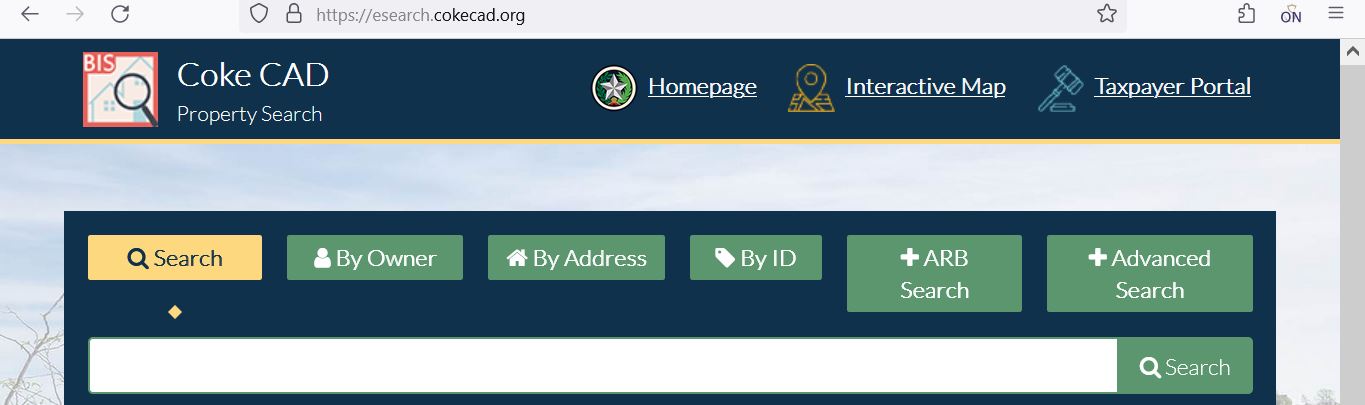
Understand what each Cooke CAD field tells you
| Field | What it helps identify | What it does not prove | Best next action |
|---|---|---|---|
| Appraisal account | The Cooke CAD account used for appraisal and collection. | That every outside record uses the same identifier. | Use it for payment, forms, protest and office calls. |
| Owner shown | The owner carried for appraisal and taxation. | Complete legal title, lien priority or deed history. | Search Cooke County Clerk land records. |
| Situs address | The physical location shown in the appraisal record. | The mailing address or complete legal description. | Compare it with the map, deed and rural address. |
| Legal description | The lot, block, tract, survey, abstract or subdivision reference. | A complete deed-quality description or surveyed boundary. | Open the deed, plat and survey. |
| Land value | CAD’s value assigned to the land component. | That acreage, use or land class is correct. | Check acreage, access, use, utilities and agricultural status. |
| Improvement value | Value assigned to houses, buildings and other improvements. | That area, condition, age or completion is correct. | Compare measurements, photographs and construction records. |
| Market value | CAD’s opinion of market value as of January 1. | A guaranteed sale price or final tax bill. | Compare sales, condition and equal-appraisal evidence. |
| Appraised value | Value after an applicable appraisal limitation. | The value after every exemption. | Continue to taxable value for each taxing unit. |
| Taxable value | Value remaining after applicable exemptions. | The live balance, penalties or payment status. | Open the tax-year and payment details. |
| Exemptions | Homestead, senior, disability, veteran or other benefits. | That every taxing unit grants the same amount. | Review every taxing-unit taxable value. |
Use Cooke CAD’s interactive map before relying on a rural or lake-area result
Separate market value, appraised value and taxable value
Cooke CAD’s opinion of the property’s market value as of January 1.
The applicable value after an appraisal limitation or qualifying special appraisal.
The value remaining after exemptions for each county, city, school or special district.
Read the Notice of Appraised Value before filing or calculating
Confirm owner, appraisal account, situs address, mailing address, property type and legal description.
Review land, buildings and total value separately to identify the source of a change.
Compare the prior and proposed values and note any new construction, land change or exemption difference.
Confirm every expected homestead, age, disability, veteran or special exemption.
Use the date printed on the notice rather than assuming every owner has the same May deadline.
Keep any owner ID, PIN, access code or portal instructions included with the notice.
Fix common Cooke CAD search failures before calling
| Problem | Likely reason | Practical fix |
|---|---|---|
| Owner name returns nothing | The account may use initials, a spouse, trust, estate, company or prior owner. | Search only the last name or one distinctive entity word. |
| Too many owner results | The name is common or the owner has several properties. | Add the street name, account, city or property type. |
| Full address fails | The record may omit a suffix, direction, city, unit or punctuation. | Use only the street number and main street name. |
| Rural acreage has no normal address | The tract may be indexed mainly by owner, account or legal description. | Search the owner or account and verify the parcel on the map. |
| Business account is missing | The account may use a DBA, legal entity or individual owner. | Search the company, DBA and owner separately. |
| Recently purchased property shows the seller | The recorded deed may still be processing into the appraisal system. | Confirm recording with the County Clerk and save the instrument number. |
| Mobile home is not listed with the land | The manufactured home may have a separate personal-property account. | Search the owner and location under all relevant property types. |
| Tax balance does not match the appraisal page | You may be viewing a value page, wrong tax year or an unposted payment. | Open the complete tax account and verify the year and payment history. |
| Official portal will not load | The vendor may be undergoing maintenance or a browser session may have expired. | Return through cookecad.org, try another browser and call CAD when a deadline is urgent. |
Local search tips for Gainesville, rural acreage and lake-area property
Check the City of Gainesville, Gainesville ISD, Cooke County and any applicable hospital or college district lines.
Confirm the correct city, school, hospital or water-district taxing units instead of using a countywide estimate.
Review subdivisions, new construction, appraisal-account changes and any applicable MUD or development requirements.
Check whether planning and zoning rules apply within 5,000 feet of the lake’s take line.
Review acreage, agricultural classification, productivity value, fencing, improvements and legal access.
Determine whether the home and land are assessed together or under separate real and personal-property accounts.
Search the legal entity, DBA, owner and situs, then compare the account with the rendition.
Check whether the parcel was recently split from a parent account and whether the plat is recorded.
Search the deceased owner, estate and heirs, then review probate and deed records before requesting an ownership update.
Use Cooke CAD, the Tax Assessor or County Clerk for the correct task
| Your question | Correct starting point | What to prepare |
|---|---|---|
| What is the appraised value? | Cooke County Appraisal District | Appraisal account, tax year and disputed value field. |
| Why is an exemption missing? | Cooke County Appraisal District | Application, identification, qualification date and supporting documents. |
| How much property tax is due? | Cooke County Appraisal District collection record | Appraisal account, owner and tax year. |
| Did my property-tax payment post? | Cooke County Appraisal District | Receipt, confirmation, payment date, amount and year. |
| Who legally owns the property? | Cooke County Clerk or title professional | Grantor, grantee, recording date, instrument and legal description. |
| Where can I find a deed, lien or release? | Cooke County Clerk | Names, date range, document type and property description. |
| Where do I register a vehicle? | Cooke County Tax Assessor-Collector | Vehicle and identification documents required for the transaction. |
| Do I need rural subdivision approval? | Cooke County Subdivision and Development | Parcel, plat, proposed lots, access and development information. |
| Do I need a septic permit? | Cooke County Rural Septic Department | Property location, proposed system and online application information. |
| Do Lake Ray Roberts zoning rules apply? | Cooke County Lake Ray Roberts Planning and Zoning | Parcel map, distance from the take line and proposed use. |
Correct the Cooke County system that owns the inaccurate field
Check the Cooke CAD account before estimating exemption savings
Confirm the home is the owner’s principal residence and the exemption appears for the current tax year.
Review the additional exemption, school-tax ceiling and possible instalment or deferral options.
Check qualification evidence, additional exemption and any applicable tax ceiling.
Use the correct application and attach the required VA documentation for the claimed category.
Prepare the heir-property affidavits, death certificate, utility bill and available ownership records.
Review charitable, religious, Freeport, solar or other property-specific applications when relevant.
What to prepare before filing
Verify agricultural appraisal instead of assuming it transferred with the land
Review qualifying use, land history, acreage, intensity standards and productivity value.
Keep the management plan, annual activities, photographs, receipts and land-use history organised.
Prepare the current lease, operator information, livestock or crop details and evidence of qualifying activity.
Do not assume the seller’s agricultural or wildlife appraisal automatically continues after closing.
Ask about additional taxes before converting qualified land to residential, commercial or another nonqualifying use.
Confirm that every tract, acreage amount and legal description is included in the application.
Match the Cooke County business account to the correct DBA and situs
Business personal property can include inventory, furniture, machinery, equipment and other tangible property used to produce income. The account is normally separate from the real estate where the business operates.
Try the legal entity, DBA, individual owner and appraisal account.
Check where the assets were located or used on January 1 of the tax year.
Compare inventory, furniture, machinery, equipment and other reported property.
Keep invoices, asset lists, depreciation schedules, disposal records and photographs.
The normal Texas business-personal-property rendition deadline is April 15, subject to extension rules.
Do not assume the building account includes the business assets inside it.
File a Cooke CAD protest that identifies a specific property problem
Cooke County protest evidence checklist
Pay Cooke County property taxes through Cooke CAD—not the county vehicle office
| Task | Correct office | Important warning |
|---|---|---|
| Property-tax bill or balance | Cooke County Appraisal District | Verify every account and tax year before paying. |
| Property-tax payment or receipt | Cooke County Appraisal District | Save the confirmation and verify posting. |
| Vehicle registration | Cooke County Tax Assessor-Collector | Vehicle card fees do not automatically apply to property taxes. |
| Voter registration | Cooke County Tax Assessor-Collector | This is not a property-tax collection service. |
| TABC or TP&W transaction | Cooke County Tax Assessor-Collector | Prepare the documents required for that separate county service. |
Use the Cooke County Clerk when legal ownership matters
Register for Cooke County’s free Property Fraud Alert
The Cooke County Clerk has partnered with Property Fraud Alert to notify registered users when a document containing their monitored name is recorded.
Complete these checks before buying or developing Cooke County property
Match appraisal account, legal description, acreage, map position and recorded deed.
Review current and delinquent balances, prior payments and the correct payoff.
Review recorded documents and use a title company or attorney for full title research.
The seller’s homestead exemption, appraisal limitation or tax ceiling may not transfer.
Identify the city, school, hospital, water, MUD, college and watershed units on the account.
Compare CAD area, age, class, condition, acreage, land use and improvements with the property.
Cooke County subdivision applications are reviewed through the Subdivision and Development Department.
Unincorporated property may require an online on-site sewage-facility application through MGO Connect.
Planning and zoning regulations can apply within 5,000 feet of the lake’s take line.
Check the complete taxing-unit list instead of using one county rate
The Texas Comptroller lists numerous active taxing units in Cooke County. Only the units attached to the individual property should be used to understand its tax bill.
Cooke County and applicable cities such as Gainesville, Muenster, Oak Ridge, Valley View, Callisburg and Lindsay.
Gainesville, Muenster, Valley View, Callisburg, Era, Lindsay, Walnut Bend or Sivells Bend ISD where applicable.
Possible units include Elm Fork MUDs, Lone Oak Valley MUD, South Cooke MUD and Muenster Water District.
Gainesville Hospital District or Muenster Hospital District may appear on applicable accounts.
North Central Texas College District is listed as an active Cooke County taxing unit.
Clear Creek Watershed District may apply to property within its boundaries.
Important Cooke County appraisal and payment dates
Cooke County appraisal, tax, deed and development offices
Gainesville, Texas 76240-3974
Phone: (940) 665-7651
Fax: (940) 668-2587
Email: cookecad@cookecad.org
Chief Appraiser: Doug Smithson
Use for appraisal records, exemptions, forms, protests, maps, property-tax bills, payments and receipts.
Gainesville, Texas 76240
Phone: (940) 668-5500, Option 8
Fax: (940) 668-5497
Email: brandy.carr@co.cooke.tx.us
Tax Assessor-Collector: Brandy Ann Carr
This office does not collect property taxes. It handles vehicle, voter, TABC and Texas Parks and Wildlife services.
101 South Dixon, Room 108
Gainesville, Texas 76240
Main office: (940) 668-5474
Deed and public records: (940) 668-5421
Fax: (940) 668-5522
County Clerk: Pam Harrison
Hours: 8:00 AM-4:50 PM; the office states that it remains open during lunch.
112 South Dixon, Room 216
Gainesville, Texas 76240
Phone: (940) 668-5454
Email: Amber.Martindale@co.cooke.tx.us
Administrator: Amber Martindale
Hours: 8:00 AM-5:00 PM; closed 12:00 PM-1:00 PM.
101 South Dixon, Room 025
Gainesville, Texas 76240
Phone or text: (940) 727-1371
Fax: (940) 668-5405
Coordinator: Todd Daniel
The department recommends calling or texting because the coordinator is frequently working in the field.
Prepare the appraisal account, owner name, property address, legal description, tax year and exact task.
Call to confirm holiday closures, accepted payment, identification and whether the service is available at that office.
Official Cooke County property resources
Use for official notices, appraisal information, meetings and current service links.
Open Cooke CADFind appraisal accounts, values, exemptions, tax years and payment information.
Open property searchLocate parcels and compare surrounding appraisal-map information.
Open mapBegin homestead, agricultural, rendition and other appraisal filings.
Open formsFile or manage an eligible appraisal protest through Cooke CAD.
Open eProtestUse for vehicle registration, voter registration, TABC and TP&W services.
Open Tax AssessorUse for deeds, liens, plats, recording requirements and certified copies.
Open County ClerkSearch recorded Cooke County real-property documents by name and date.
Search land recordsStart from the County Clerk page and register monitored owner names.
Register for alertsReview county subdivision applications, fees, floodplain and development requirements.
Open subdivision rulesReview planning, zoning maps and development applications near the lake.
Open lake-area rulesCross-check CAD, Tax Assessor and active taxing-unit information.
Open Cooke County directoryHow this Cooke County guide was improved and reviewed

Independent review of appraisal, collection, deed and development records
This version preserves the image used in the existing article while replacing the previous brief guide with complete property-search steps, account verification, Cooke County’s unusual collection routing, exemptions, agricultural appraisal, business property, protests, deeds, fraud alerts and local development checks.
Official resources reviewed include Cooke County Appraisal District, Cooke County Tax Assessor-Collector, Cooke County Clerk, Cooke County Subdivision and Development, Cooke County Rural Septic Department and Texas Comptroller property-tax resources.
AppraisalDistrict.org is an independent informational website and is not operated by Cooke County Appraisal District or Cooke County.
10 common Cooke CAD property-search questions
1. What is the official Cooke County Appraisal District website?
The official website is cookecad.org. Use it for property search, appraisal records, maps, forms, exemptions, online protests and property-tax payment information.
2. How do I search Cooke County property records?
Open the official Cooke CAD eSearch. Use the appraisal account when available, or begin with an owner last name, DBA or simplified address. Verify the legal description and tax year.
3. Why does a Cooke CAD address search return no result?
The account may use a different street suffix, direction, rural-route description, city or unit format. Remove punctuation, city and ZIP code, then use only the street number and name or the street name alone.
4. Does the Cooke County Tax Assessor-Collector collect property taxes?
No. The county’s official page states that property-tax payments are made to Cooke County Appraisal District. The County Tax Assessor handles vehicle, voter, TABC and Texas Parks and Wildlife services.
5. How do I pay Cooke County property taxes?
Find the correct property through Cooke CAD’s official search, confirm the appraisal account and tax year, review the live balance and fee, submit the payment and save the confirmation and receipt.
6. What is the Cooke County property-tax protest deadline for 2026?
Most protests are due by May 15 or by the 30th day after Cooke CAD mails the Notice of Appraised Value, whichever is later. The individual notice controls.
7. Where do I file a Cooke County homestead exemption?
File with Cooke County Appraisal District. Use the official Cooke CAD online forms system or follow the district’s current submission instructions and keep proof of filing.
8. Can I use the Cooke CAD map as a legal survey?
No. The interactive map is useful for appraisal research, but it should not replace a recorded deed, plat, easement review, title examination or professional survey.
9. Where can I search Cooke County deeds and liens?
Use the free Cooke County real-property records search linked by the County Clerk. Compare the parties, date, instrument number and legal description.
10. Where is Cooke County Appraisal District located?
Cooke County Appraisal District is at 201 North Dixon Street, Gainesville, Texas 76240-3974. Its phone number is (940) 665-7651.