
Cameron County Appraisal District property search, tax appraisal and protest guide
If you own a home, commercial property, coastal lot, mobile home, business personal property, agricultural land or rental property in Cameron County, the Cameron Appraisal District record is the official starting point for value, ownership, exemptions, maps, public portal access and protest evidence. This guide explains where to click, what to verify on the record, which office handles taxes, and how to prepare a cleaner 2026 appraisal review without wasting time on generic third-party pages.
Quick navigation for Cameron County property owners
How to use Cameron CAD property search correctly
The official Cameron CAD property search is powered through the Prodigy public portal. It is the best starting point for checking appraised value, owner details, property ID, situs address, exemptions, tax-year information and protest-related account data. This is important in Cameron County because properties may be in Brownsville, Harlingen, San Benito, Los Fresnos, Port Isabel, South Padre Island, La Feria, Rio Hondo, Laguna Vista, Rancho Viejo or rural areas with different taxing units.
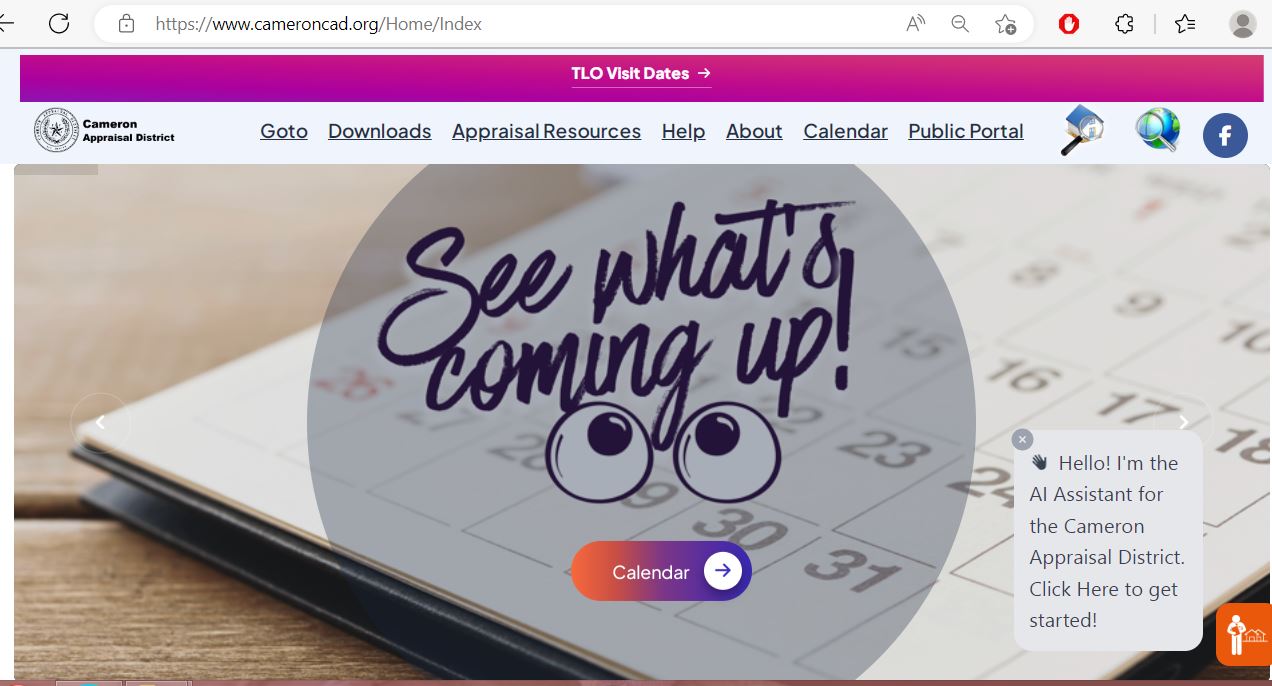
Cameron CAD property search screenshot guide
The image below helps readers recognise the official Cameron County Appraisal District search workflow before entering account, owner, address or advanced search details. Use it as a visual guide, then open the live official portal to verify current property data.
What to check on your Cameron CAD property record
A useful Cameron CAD lookup is not just about seeing one market value. Review the full record because small errors in owner details, mailing address, exemptions, improvements, land size or taxing units can create problems during protest season or tax-bill season.
| Record item | What it means | Why it matters |
|---|---|---|
| Property ID / account | Unique appraisal account used by Cameron CAD | Use it for property search, public portal access, protest filing and tax-office lookup. |
| Owner name | Owner currently listed on the appraisal record | New buyers, heirs, trust owners and businesses should confirm ownership has updated correctly. |
| Mailing address | Address used for notices and official correspondence | Wrong mailing address can cause missed notices, missed deadlines and delayed exemption response. |
| Market value | CAD’s opinion of current market value as of the appraisal date | Most protests challenge market value, unequal appraisal or wrong property details. |
| Net appraised value | Reduced value after limitations such as homestead or circuit breaker may apply | This may differ from market value and can affect taxable value calculations. |
| Taxable value | Value after exemptions are deducted | This value is used by taxing units to calculate taxes, but CAD does not collect the taxes. |
| Exemptions | Homestead, over-65, disability, disabled veteran, ag or other qualifying status | Missing exemptions can affect taxable value and should be fixed early. |
| Taxing units | School, city, county, drainage, college, port, MUD or special district linked to the property | Taxing units affect the final bill, even though the appraisal district does not set or collect the tax. |
Official Cameron CAD tools and when to use them
Cameron CAD provides separate official routes for property search, public portal, map search, forms, e-forms, truth-in-taxation, protest process, ARB hearing check-in and how-to videos. Using the correct tool prevents delays and wrong-office confusion.
| Official resource | Best use | Practical tip |
|---|---|---|
| Property Search | Owner, address, property ID, values, exemptions and property record review | Use this before calling. Have the property ID ready when speaking with CAD or the tax office. |
| Public Portal | Online account, protest filing, evidence upload, settlement review and portal communication | The protest page says online protest gives immediate confirmation and evidence-management features. |
| Map Search | Parcel boundary, nearby property, coastal/rural location and map context | Useful when address search is unclear or you need comparable-property map support. |
| Forms / E-Forms | Exemptions, applications, protest forms and official CAD paperwork | Use current official forms only. Old PDFs can cause delays or missing required information. |
| Truth in Taxation | Tax-rate transparency and taxing-unit review | Use this for rate context, but use CAD for value and the tax office for bills/payment. |
| How-To Videos | Portal setup, protest form, evidence upload and public portal training | Watch before filing online if you are new to the public portal. |
Cameron County homestead exemption and other exemption checks
Before protesting only the value, check exemptions first. A missing homestead, over-65, disability, disabled veteran or agricultural exemption can affect taxable value more than a small market-value adjustment. This is especially important after buying a home, inheriting property, changing mailing address, turning 65, becoming disabled, or moving into a property as your primary residence.
How to file a Cameron CAD protest without weakening your case
A strong protest focuses on value, unequal appraisal, property-record accuracy, exemption status or classification. It should not only say “my taxes are too high.” Cameron CAD’s protest process explains that the Notice of Appraised Value contains market value, net appraised value and taxable value, and owners can file online, by mail or in person.
Evidence that helps in a Cameron County appraisal protest
The strongest evidence is specific to the property and easy to understand. A Brownsville subdivision home, a South Padre Island condo, a Harlingen commercial property, a San Benito residence and rural land near the county line may need different evidence.
- Recent comparable sales from the same market area
- Dated photos of damage or poor condition
- Repair estimates for roof, foundation, flood, wind or interior issues
- Closing statement if the property recently sold
- Independent appraisal or broker market analysis
- Wrong square footage or improvement size
- Incorrect year built, quality, condition or remodel detail
- Wrong land size, lot influence or legal description
- Incorrect owner or mailing address
- Missing exemption or wrong property classification
- Only saying “taxes are too high”
- Random screenshots without address or date
- Comparing unlike coastal and inland properties
- Using old sales without market context
- Submitting unlabelled photos or unclear PDFs
Public portal and online protest tips
Cameron CAD’s public portal is useful for more than starting a protest. The district’s protest guidance says online users can upload comments and evidence, review evidence from the appraisal district, and accept or decline settlement offers through the online account.
| Portal task | Why it matters | Practical action |
|---|---|---|
| Create account | You may need owner ID and PIN from the notice | Use the official public portal and follow CAD’s setup instructions. |
| Add properties | Owners with more than one property need all accounts visible | Add each account using the correct owner/property details. |
| File protest | Online filing gives immediate confirmation | Save the confirmation and screenshot the submitted protest summary. |
| Submit evidence | Evidence should be uploaded before review/hearing | Label files clearly by date, property issue and document type. |
| Review CAD evidence | You need to understand the district’s support for its value | Compare CAD’s evidence with your evidence before any hearing or offer decision. |
| Accept or reject offer | Settlement decisions can affect whether the case continues | Do not click quickly. Compare the offer with your requested value and evidence. |
Common Cameron CAD mistakes to avoid
Most owner frustration comes from using the wrong office, missing the protest deadline, failing to save evidence, ignoring the public portal, or assuming the appraised value and tax bill are the same thing.
| Mistake | Why it causes problems | Better action |
|---|---|---|
| Calling CAD to pay taxes | Cameron CAD does not collect taxes or have final tax amounts | Use Cameron County Tax Office or the correct tax office listed by CAD. |
| Waiting until the deadline | Portal setup, PIN issues and evidence uploads can take time | Start as soon as you receive your notice. |
| Ignoring CAD evidence | You may not know why the district supports its value | Review CAD’s evidence packet through the portal before the hearing. |
| Using weak comparisons | Island, coastal, subdivision and inland properties may not be comparable | Use similar properties in the same market area and condition range. |
| Requesting deeds or plats from CAD | Cameron CAD says deed copies and subdivision plats should be handled by the County Clerk | Contact Cameron County Clerk for deeds, plats and recorded documents. |
Cameron CAD vs Cameron County Tax Office
Cameron CAD’s own website strongly explains this difference: the appraisal district does not set tax rates, calculate taxes, collect taxes or levy taxes. Those questions belong to local governing bodies and tax offices. This section helps users choose the right office before calling.
| User need | Correct place | What to do |
|---|---|---|
| Search property owner, address, value or exemption | Cameron CAD | Use the official property search and forms. |
| File protest or review appraised value | Cameron CAD / ARB process | Use public portal, mail or in-person filing before the deadline. |
| Upload evidence or review CAD evidence | Cameron CAD public portal | Use owner ID/PIN and portal instructions from the notice or CAD help resources. |
| Pay property tax or check tax due | Cameron County Tax Office or correct collecting tax office | Use the official tax office website or property tax research portal. |
| Get deeds or subdivision plats | Cameron County Clerk | Contact the County Clerk because CAD states it does not give deed copies or subdivision plats. |
| Rural physical address letter | Cameron County Emergency Communication District | CAD notes that rural addressing is handled outside CAD, not by the appraisal district. |
Cameron County buyer, homeowner and investor tips
Cameron CAD records are helpful for due diligence, but they do not replace title work, deed search, survey, inspection, flood-risk review, tax certificate, business personal property review, legal advice or tax advice.
- Check current and prior-year value
- Verify homestead status after closing
- Compare CAD improvement details with the property
- Check mailing address after deed updates
- Use tax office for actual bill/payment questions
- Document storm, water, wind or flood damage
- Use local coastal comps, not generic county comps
- Check land influence and location details
- Keep repair and insurance documents
- Review taxing units and special districts
- Check business personal property obligations
- Keep asset and depreciation records
- Review account classification carefully
- Separate CAD value from final tax bill
- Save property ID for future calls and filings
Cameron Appraisal District contact details
Before calling, write down your property ID, owner name, situs address, mailing address and exact question. This helps the staff route you faster during notice and protest season.
| Contact item | Official detail | Best use |
|---|---|---|
| Office name | Cameron Appraisal District | Use for appraisal, exemption, property record, map and protest questions. |
| Physical address | 2021 Amistad Drive, San Benito, TX 78586 | Use for office visits, evidence drop-off or in-person support when appropriate. |
| Mailing address | P.O. Box 1010, San Benito, TX 78586 | Use for mailed protest forms, exemption applications or correspondence when allowed. |
| Phone numbers | 956-399-9322; 956-541-3365; 956-428-8020 | Use for property account, exemption, protest, portal and general appraisal questions. |
| Fax | 956-399-6969 | Use only when official instructions allow fax submission. |
| Business hours | Monday–Thursday 7:30 AM–5:30 PM; Friday 8:00 AM–5:00 PM | Call before visiting near deadlines, holidays or hearing season. |
Cameron County Tax Office contact details
Use the Cameron County Tax Office for payment, tax due, receipts, penalties, tax-account questions and many tax-collection matters. Some taxing units may use other collectors, so always check the tax office list and your account.
| Tax office item | Official detail | Best use |
|---|---|---|
| Tax Assessor-Collector | Edelmiro “Eddie” Garcia | County tax office and payment-related questions. |
| Main office | 835 East Levee St., Brownsville, TX 78520 | Tax bill, receipt, payment and tax-office service routing. |
| Phone | 956-544-0800 | Use for county tax office questions. |
| Property tax research | camerontax.go2gov.net | Use for property tax search, payment research and tax-account lookup. |
| Important note | CAD does not set, calculate, levy or collect taxes | Use CAD for value/exemption/protest; use tax office for bill/payment questions. |
Cameron CAD office map
Use this map for route planning to the Cameron Appraisal District office in San Benito. If you are going for a protest, exemption form, evidence submission or portal help, confirm document requirements before leaving.
Official Cameron CAD how-to video resources
Cameron CAD provides an official How-To Videos page covering Notice of Protest, taxpayer public portal overview, taxpayer account creation, agent portal use, public portal login, owner info and evidence-related portal actions. Because the official site lists these training videos without a clean embeddable YouTube ID in the page text, this replacement links to the official video page instead of forcing a weak or unrelated embed.
Open Cameron CAD how-to videos and review the Notice of Protest and Public Portal instructions.
Use the official walkthroughs for portal setup, property adding, evidence submission and settlement review so you do not miss a portal step.
Official Cameron CAD and property-tax resources
Use these official links for final confirmation before filing a protest, applying for an exemption, searching property records, checking maps, reviewing tax rates or contacting the tax office.
Cameron Appraisal District official website Official Cameron CAD property search Official Cameron CAD public portal Official Cameron CAD map search Official Cameron CAD forms Official Cameron CAD protest process Official Cameron CAD how-to videos Official Cameron CAD contact page Official Cameron CAD tax office information Cameron truth-in-taxation property search Cameron County property tax research Cameron County Tax Assessor-Collector Texas Comptroller property tax informationCameron County Appraisal District FAQs
What is the official Cameron County Appraisal District website?
The official Cameron Appraisal District website is cameroncad.org. Use it for property search, public portal, map search, forms, protest process, contact details, truth-in-taxation and official appraisal district resources.
How do I search Cameron CAD property records?
Open the official property search at cameron.prodigycad.com/property-search. You can search by account, owner, address or advanced options, then verify property ID, owner, address, values, exemptions and tax-year details.
What is the Cameron CAD phone number?
Cameron CAD lists phone numbers 956-399-9322, 956-541-3365 and 956-428-8020. Have your property ID, owner name and property address ready before calling.
Where is Cameron Appraisal District located?
Cameron Appraisal District is located at 2021 Amistad Drive, San Benito, Texas 78586. The mailing address is P.O. Box 1010, San Benito, TX 78586.
What are Cameron CAD office hours?
The official website lists Monday through Thursday from 7:30 AM to 5:30 PM and Friday from 8:00 AM to 5:00 PM. Call before visiting during holidays, protest season or deadline periods.
How do I file a Cameron CAD protest online?
Use the Cameron CAD public portal or the official protest process page. Online filing provides confirmation and allows evidence upload, CAD evidence review and settlement offer review through the portal.
What is the Cameron CAD protest deadline?
Cameron CAD explains that the deadline is May 15 or 30 days after the Notice of Appraised Value is mailed, whichever is later. Always confirm the exact deadline printed on your notice.
What evidence helps in a Cameron County appraisal protest?
Helpful evidence includes comparable sales, dated condition photos, repair estimates, closing statements, independent appraisal reports, map evidence, exemption proof and documents showing wrong square footage, ownership, mailing address or property characteristics.
Does Cameron CAD collect property taxes?
No. Cameron CAD states that it does not collect taxes, calculate taxes, levy taxes or set tax rates. Property tax payment and tax-due questions should be directed to the Cameron County Tax Office or the correct collecting tax office.
Who is the Cameron County Tax Assessor-Collector?
Cameron CAD’s tax-office page lists Edelmiro “Eddie” Garcia as Cameron County Tax Assessor-Collector. The main office listed is 835 East Levee St., Brownsville, TX 78520, with phone 956-544-0800.
Last editorial check: June 2026. Official details can change without notice; verify your exact account on CameronCAD.org, the official Prodigy portal or Cameron County tax office resources before filing, protesting, paying or visiting.

Founded by Mahesh Kumar, AppraisalDistrict.org is built on the belief that public information should be accessible and accurate. We have replaced AI-generated ‘fluff’ and automated scraping with 100% manual human verification. With over 15 years of experience in real estate and digital journalism, we help you find the right data without the frustration of broken links.
Search Smarter, Estimate Taxes, Check Exemptions and Prepare for a Protest
Use this free tool before you visit a county appraisal district, property search portal, tax office, or exemption page. It helps you understand property value, taxable value, possible savings, protest value, and the next official step.
What do you need help with today?
Choose your main reason for visiting. The tool will show the best next step and quick estimate.
Use this tool to check your appraisal notice, exemption savings, protest value, and official next step.
Use the tax calculator before trusting only the sale price or mortgage estimate.
Property Search Helper
Use this when a county property search portal is confusing. It shows which search method is usually best.
Property Tax Estimate Calculator
Estimate annual property tax using appraised value, assessment ratio, exemptions, and combined tax rate.
Homestead and Exemption Savings
Estimate how much a homestead, senior, disability, veteran, or local exemption may reduce tax.
Appraisal Notice Review
Compare last year value with this year value and see whether the increase deserves closer review.
Property Tax Protest Savings
Estimate possible savings if your appraised value is reduced after protest, correction, evidence review, or appraisal review board hearing.
Property Tax Protest and Exemption Checklist
Use this checklist before you file a protest, apply for exemption, or call the appraisal district.
Before calling, write your property ID, owner name, property address, and question on paper. It saves time.
Do not call the CAD to pay tax bills unless the local article says they collect taxes. In many counties, the tax office collects payment.
Official Resource Finder
Enter county and state to create safe searches for official CAD pages, property search, tax payment, exemptions, maps, forms, and protest help.
CAD vs Tax Office
- Appraisal District: value, exemptions, ownership records, maps, protest.
- Tax Office: tax bill, payment, receipt, delinquent balance, penalty.
Best place to use this
Add this tool after the first major content section or before the FAQ area. It gives visitors a reason to interact before leaving the page.
Important estimate note
This tool gives educational estimates only. Final values, exemptions, tax rates, bills, payments, and deadlines must be confirmed with official county sources.