Navigate a Brewster County Parcel Across the Big Bend Property-Record Landscape
Start with Brewster County Appraisal District when you need a Property ID, appraisal owner, legal description, acreage, market value, exemption, agricultural value, mineral account, business account, map or protest record.
Continue to the County Tax Assessor-Collector for the live bill, the County Clerk for deeds and liens, the groundwater district for regulated wells, or county and state authorities for septic, floodplain, access and remote-development questions.
Use the Property ID or geographic ID whenever available.
Primary appraisal, tax and deed services are routed through Alpine.
Marathon, Terlingua, Study Butte and rural tracts may lack standard addresses.
Confirm groundwater jurisdiction and well records before buying land.
Prepared for 2026 use; confirm live official details before acting.
What do you need to do with the Brewster County property?
Use Property ID, owner, address, geographic ID, survey, abstract or legal description.
Follow the search stepsVerify the correct account, year, collector, live balance and payment receipt.
Review the payment workflowUse the current Brewster CAD form and retain complete submission proof.
Open the exemption centerSeparate value, unequal appraisal, exemption, agricultural use and property-data errors.
Build a protest recordSearch deeds, liens, easements, restrictions, plats and mineral reservations.
Follow the deed workflowDo not rely on acreage, a listing map or a seller’s description alone.
Use the Big Bend checklistSearch Brewster County property records without selecting the wrong tract
Use the Brewster CAD property-search image as a navigation guide
The article’s property-search image is placed inside the search workflow below. Reopen the live official system before relying on any account field.
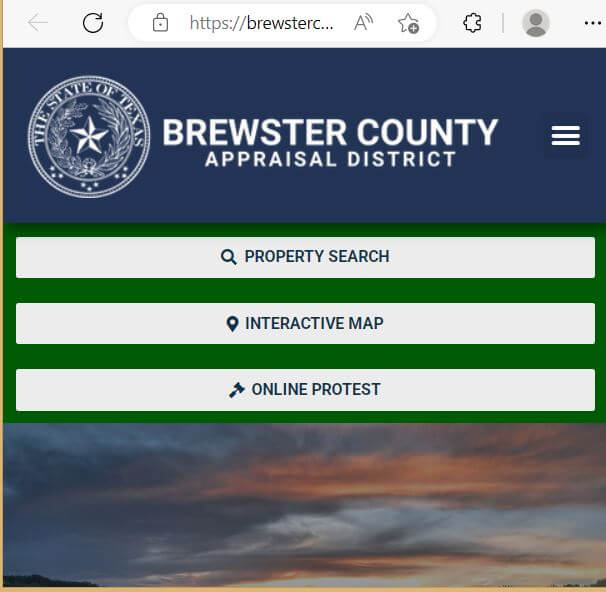
Choose the Brewster CAD field that matches the information you have
| Search field | Best use | Practical check |
|---|---|---|
| Property ID | Open the exact account shown on a notice, statement or saved record. | Confirm owner, property type and year. |
| Owner name | Find property held by a person, estate, trust or business. | Try the last name alone and alternate owners. |
| Street or road | Find Alpine property or rural property with a recognised situs. | Remove direction, suffix, unit and city when needed. |
| Geographic ID | Match the appraisal account to a geographic reference. | Do not treat it as a surveyed boundary. |
| Abstract or survey | Find large ranch, desert or mountain tracts without a standard address. | Compare survey, abstract, tract and acreage. |
| Subdivision | Locate a platted lot near Terlingua, Study Butte or another development. | Match lot, block, unit and recorded plat. |
| Legal description | Research inherited, divided or remote land. | Enter a distinctive part rather than the entire description. |
| Former owner | Find recently transferred property not yet indexed under the buyer. | Confirm the deed with the County Clerk. |
| Mineral or lease detail | Locate a severed mineral, pipeline or lease-related account. | Surface and mineral ownership may differ. |
Understand what the Brewster CAD account proves—and what it does not
| Account field | What it identifies | What it does not establish | Next record to check |
|---|---|---|---|
| Property ID | The appraisal account. | That every office uses the same identifier. | Save it before calling or filing. |
| Owner shown | The owner carried for appraisal administration. | Complete title, heirship or lien status. | County Clerk and title records. |
| Situs address | A physical location carried by the district. | Legal access, postal delivery or emergency-response access. | Road, deed and addressing records. |
| Legal description | An abbreviated survey, abstract, tract, lot or subdivision reference. | A complete conveyance description. | Recorded deed or plat. |
| Acreage | Acreage used for appraisal administration. | Surveyed acreage or usable land area. | Survey and title commitment. |
| Market value | CAD’s January 1 market-value opinion. | Sale price, insurance value or tax balance. | Sales, condition evidence and tax account. |
| Productivity value | Special appraisal for qualifying land use. | Automatic continuation after purchase. | Current agricultural application and land-use records. |
| Taxable value | Value after applicable exemptions for one taxing unit. | The live amount due or payment status. | Tax Assessor-Collector ledger. |
| Map parcel | The approximate appraisal parcel. | Boundaries, access, federal-land ownership or easements. | Survey, deed, federal map and access documents. |
Build a Brewster County property-search sequence
Select the strongest information you already have. The tool creates an ordered search plan without transmitting any data.
Use a Brewster CAD parcel map without mistaking it for a survey
Separate appraisal value, taxable value and the final Brewster County bill
CAD’s opinion of what the property would sell for under normal conditions as of January 1.
Value after an applicable limitation or qualifying agricultural appraisal.
Exemptions reduce taxable value; adopted rates and the collection ledger determine the bill.
Find the correct Brewster County property office
Choose the issue that matches your goal. The tool points to the correct starting place and does not transmit information.
Fix common Brewster CAD search problems
| Problem | Likely reason | Practical fix |
|---|---|---|
| Owner name returns nothing | The record may use initials, a spouse, trust, estate or company. | Search the last name alone and try former owners. |
| Address returns nothing | The account may have an abbreviated or nonstandard rural address. | Search only the road name, then use survey or legal-description fields. |
| Remote tract has no address | The property may be indexed by abstract, survey, tract or subdivision. | Use geographic ID, legal description and the map. |
| Buyer is not shown | The deed may still be processing into the appraisal system. | Confirm the recorded instrument with the County Clerk. |
| Acreage differs from listing | The listing, deed, appraisal record and survey may use different figures. | Use the deed and professional survey for legal acreage. |
| Mineral interest is missing | Mineral ownership may use a separate account or lease reference. | Search the mineral property type, lease and recorded reservations. |
| Expected exemption is missing | The application may be pending, incomplete or associated with another year. | Contact CAD with the Property ID and filing proof. |
| Tax amount differs | Penalty, interest, credits or recent payments may have changed the balance. | Use the Tax Assessor-Collector’s live payoff. |
Correct the Brewster County system that contains the error
Verify Brewster County exemptions on every taxing-unit line
Confirm the home is the applicant’s principal residence and the exemption appears for the correct year.
Review the additional exemption, tax ceiling and possible installment or deferral rules.
Check qualification documentation and applicable school-tax ceiling.
Use the correct veteran application and attach required VA documentation.
Inherited property may require affidavits, family-history evidence or probate documents.
Ask CAD whether a temporary exemption or property-data correction applies after qualifying damage.
Prepare these documents
Check Brewster County agricultural and wildlife appraisal carefully
Owning desert or ranch acreage does not automatically qualify the land for productivity appraisal. Qualification depends on prior use, local intensity standards and supporting records.
Prepare grazing, livestock, fencing, lease, income and land-management records.
The operation should meet a degree of intensity typical for the local activity and terrain.
Review both values and the acreage receiving special appraisal.
Maintain the wildlife-management plan, annual report, photographs and practice records.
Document wildlife water, habitat work, erosion control, census and shelter activities.
Do not assume the seller’s special appraisal automatically continues after closing.
Ask CAD about rollback consequences before changing qualified land.
A written grazing lease alone may not prove qualifying use or local intensity.
Mark the qualifying acreage, excluded homesite and management areas clearly.
Search special Brewster County property accounts separately
Review equipment, machinery, furniture, inventory, vehicles and other income-producing assets.
Use the current rendition form and retain the asset list and filing receipt.
Determine whether the home and land have separate ownership or appraisal accounts.
Surface ownership does not prove ownership of every oil, gas or mineral interest.
Specialised utility, communications, pipeline or transmission accounts may use different appraisal records.
Use recorded deeds, leases, reservations and assignments for legal ownership.
Build a Brewster CAD protest around one clearly supported issue
Prepare evidence that reflects Brewster County property conditions
Use similar location, acreage, terrain, access, utilities, improvements and sale timing.
Document unrecorded, private, gated, seasonal or poorly maintained access.
Use well reports, hauling costs, production records, water-quality tests and drilling estimates.
Document slopes, arroyos, mountains, erosion, flood channels and unusable acreage.
Use dated photographs, inspections, contractor estimates and engineering reports.
Prove incorrect square footage, age, class, condition, structures or acreage.
Pay Brewster County property taxes through the correct collection record
Use the Brewster County Clerk for deeds, liens, easements and plats
Complete these checks before buying remote Brewster County land
Confirm recorded access, road ownership, gates, maintenance duties and year-round passability.
Obtain a survey rather than relying on online parcel lines, fences or listing maps.
Review existing wells, regulatory jurisdiction, depth, production, quality and drilling risk.
Confirm delivery access, storage capacity, supplier availability and long-term cost.
Identify the permitting authority and evaluate soil, slope, setbacks and flood hazards.
Obtain a written extension estimate and confirm easements before assuming power is available.
Inspect washes, low-water crossings, drainage routes and historic storm impacts.
Check road access, address visibility, cellular coverage and response distance.
Review recorded covenants, subdivision plats, road agreements and building limitations.
Check severed minerals, leases, pipelines, surface-use rights and reservations.
Confirm adjacency to park, wildlife, state or other public land with official maps.
Obtain quotes that reflect remoteness, wildfire exposure, access and contractor travel.
Verify well records and groundwater jurisdiction before relying on a land listing
Identify the correct permit authority before building or installing an OSSF
Check city planning, building, utility and development requirements in addition to county records.
Confirm county floodplain, subdivision, road and on-site sewage requirements before development.
Identify the authorised permitting entity before designing, installing or repairing a septic system.
Open TCEQ homeowner guidanceUse official FEMA mapping and local floodplain determinations.
Open FEMA Map Service CenterInspect drainage routes that may not be obvious from a broad flood-zone label.
Show property lines, access, structures, well, septic, drainage and utility locations.
Confirm whether private land actually borders or accesses public land
Use official park maps to identify park boundaries and authorised public access.
Open official Big Bend mapsA listing’s proximity to a park road does not create a legal right to cross private or federal land.
A fence can differ from the deed or surveyed boundary and may not identify ownership.
Search recorded easements, restrictions and management agreements.
River movement, floodplain, international-boundary and access issues require specialised records.
Confirm corners, acreage, access and the relationship between private and public land.
Important Brewster County appraisal and tax dates
Route Brewster County appraisal, tax and deed questions correctly
Alpine, Texas 79830
Phone: (432) 837-2558
Use for property search, values, exemptions, agricultural appraisal, business property, mapping and protests.
Confirm current lobby hours and mailing instructions before visiting or sending documents.
Alpine, Texas 79830
Phone: (432) 837-2214
Use for balances, payments, receipts, penalties, delinquent years and collection questions.
Confirm the current payment portal, office hours and accepted methods before acting.
Alpine, Texas 79830
Phone: (432) 837-3366
Use for deeds, liens, easements, restrictions, plats, copies and recording questions.
Use for jurisdiction, non-exempt wells, registration, permits, spacing, production and groundwater-management questions.
Open the groundwater districtBrewster County property resources
Property search, appraisal records, exemptions, forms, mapping and protests.
Open Brewster CADTax, Clerk, county-office and local-government services.
Open county websiteCross-check appraisal-district and taxing-unit information.
Open Brewster County directoryCheck well regulation and groundwater-management requirements.
Open Brewster County GCDResearch available state well and groundwater information.
Open groundwater viewerSearch official flood-hazard products and map panels.
Open FEMA mapsIdentify homeowner requirements and the authorised local OSSF authority.
Open OSSF guidanceReview official public-land maps and park boundaries.
Open park mapsUse state wildlife-management planning and reporting resources.
Open wildlife resources10 common Brewster County appraisal and property-tax questions
1. What is the official Brewster County Appraisal District website?
The official website is brewstercad.org. Use it for property search, appraisal values, exemptions, forms, mapping and protest information.
2. How do I search Brewster County property records?
Start with the Property ID when available. Otherwise search by owner name, street name, geographic ID, abstract, survey, subdivision or legal description through the official CAD website.
3. Why does my Brewster CAD address search return no result?
Remote property may use an abbreviated road, survey, abstract, subdivision or legal description rather than a complete postal address. Remove unnecessary address details and try another field.
4. Does Brewster County Appraisal District collect property taxes?
Brewster CAD determines values and administers exemptions and protests. The Brewster County Tax Assessor-Collector handles live balances, payments, receipts and collection questions.
5. How do I pay Brewster County property taxes?
Find the correct appraisal account, continue through the official county Tax Assessor-Collector route, verify the account, year, amount and processing fee, and save the payment receipt.
6. What was the normal Brewster County protest deadline for 2026?
Most protests were due by May 15 or 30 days after delivery of the appraisal notice, whichever was later. The deadline on the individual notice controls.
7. How do I apply for a Brewster County homestead exemption?
Search the property, obtain the current application from Brewster CAD, complete all required sections, attach identification and ownership documents, and keep proof of delivery.
8. How do I check agricultural or wildlife appraisal?
Review the land section for market and productivity values. Qualification depends on prior use, local intensity and supporting records. Wildlife management generally requires prior open-space qualification.
9. Can Brewster CAD maps or acreage be used as a legal survey?
No. CAD maps and acreage are appraisal-research tools. Use recorded documents and a professional survey for boundaries, access and legal acreage.
10. Where can I find Brewster County deeds and liens?
Use the Brewster County Clerk for deeds, liens, easements, restrictions, plats and certified copies. Compare the recorded legal description with the CAD account.